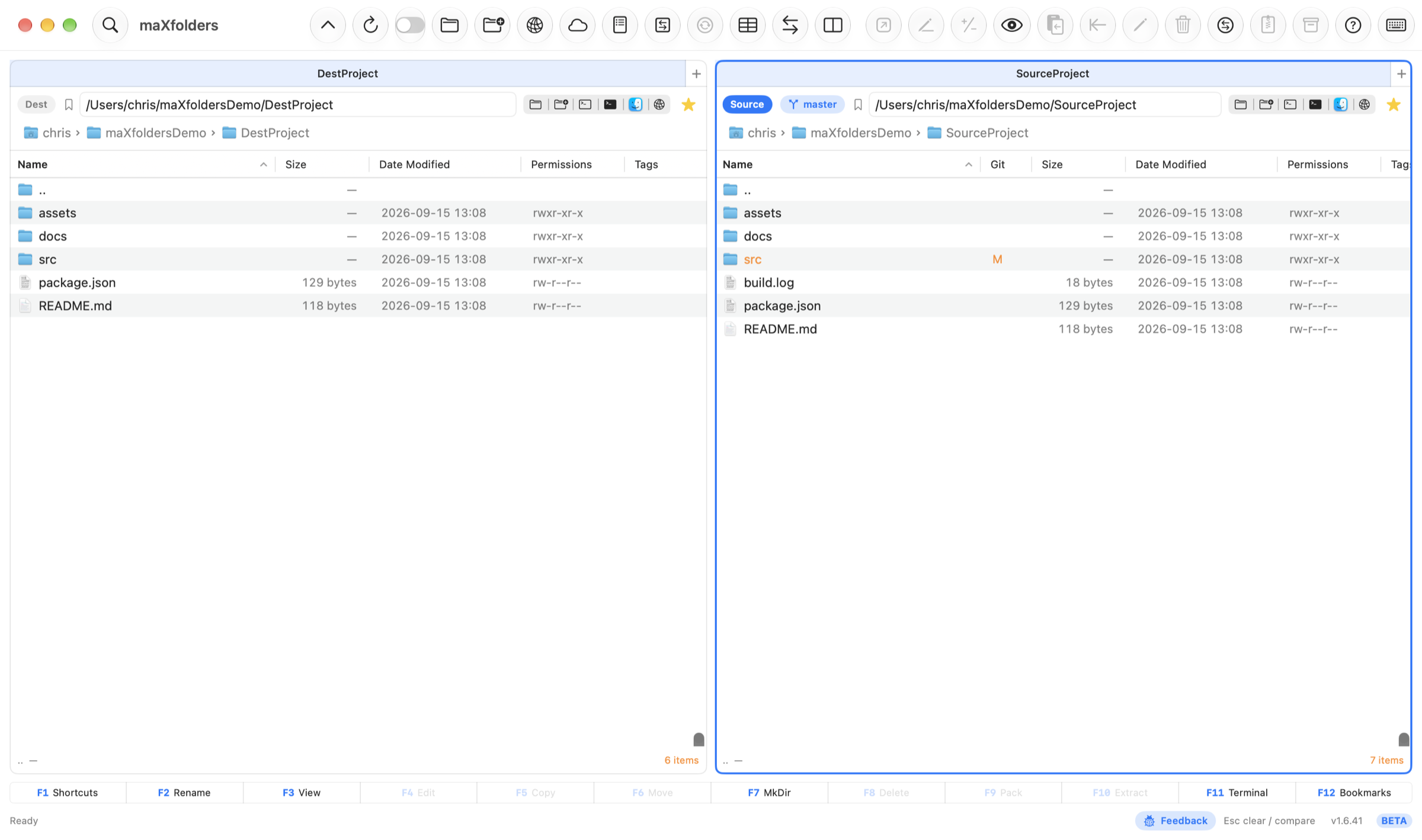
Dual panes, not dual windows
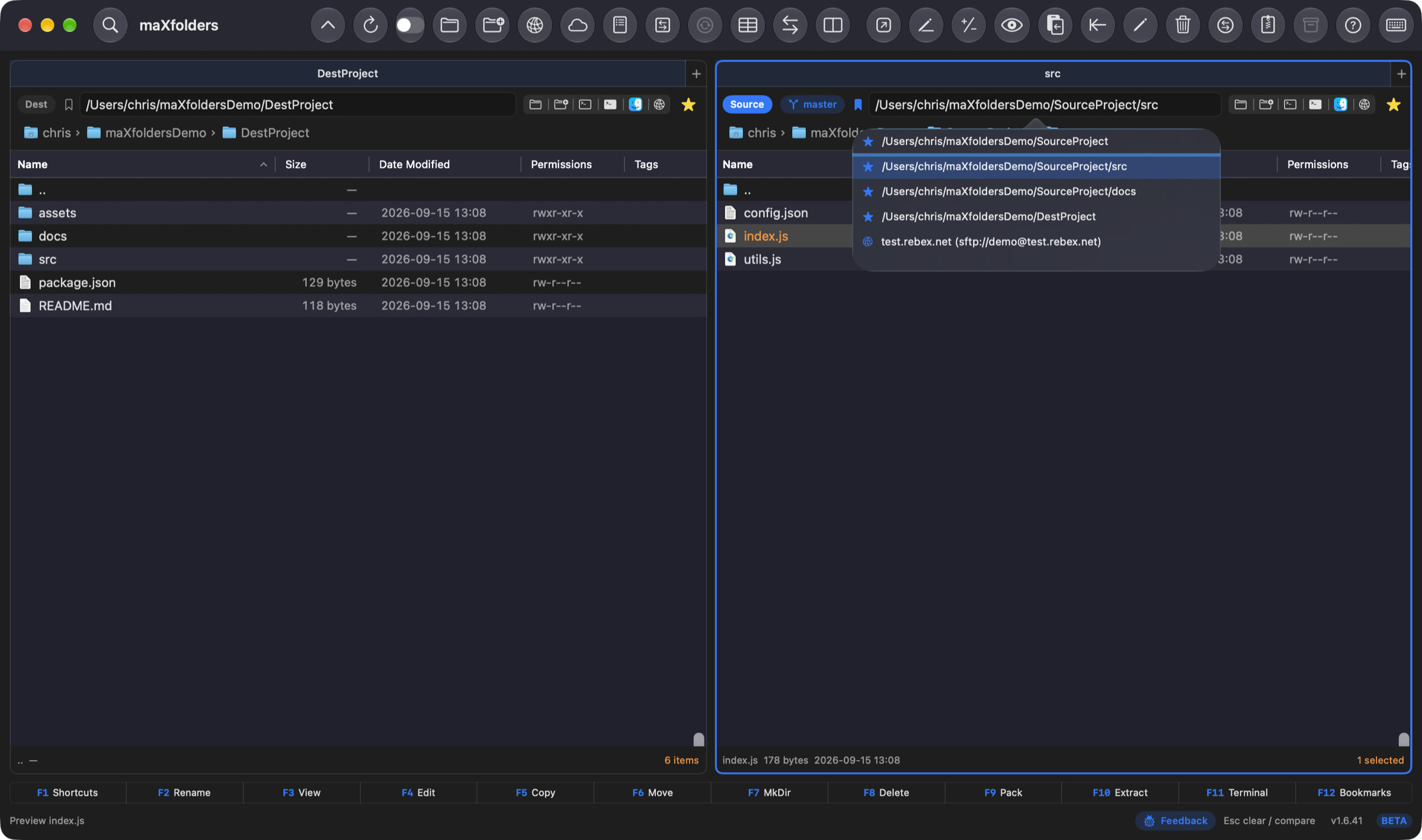
Each pane has Finder-style lists, folder tabs, and a path bar. Flip Source and Destination, or swap the two folders, without losing your place.
Free while maXfolders is in beta — register today and that email keeps 80% off Pro for life.
See how it works →Native for macOS
maXfolders is a dual-pane file manager. The active pane is the Source; the other is the Destination. Copy, move, compare, search, and pack files without hunting through overlapping Finder windows.
 View larger
New in 1.6.48
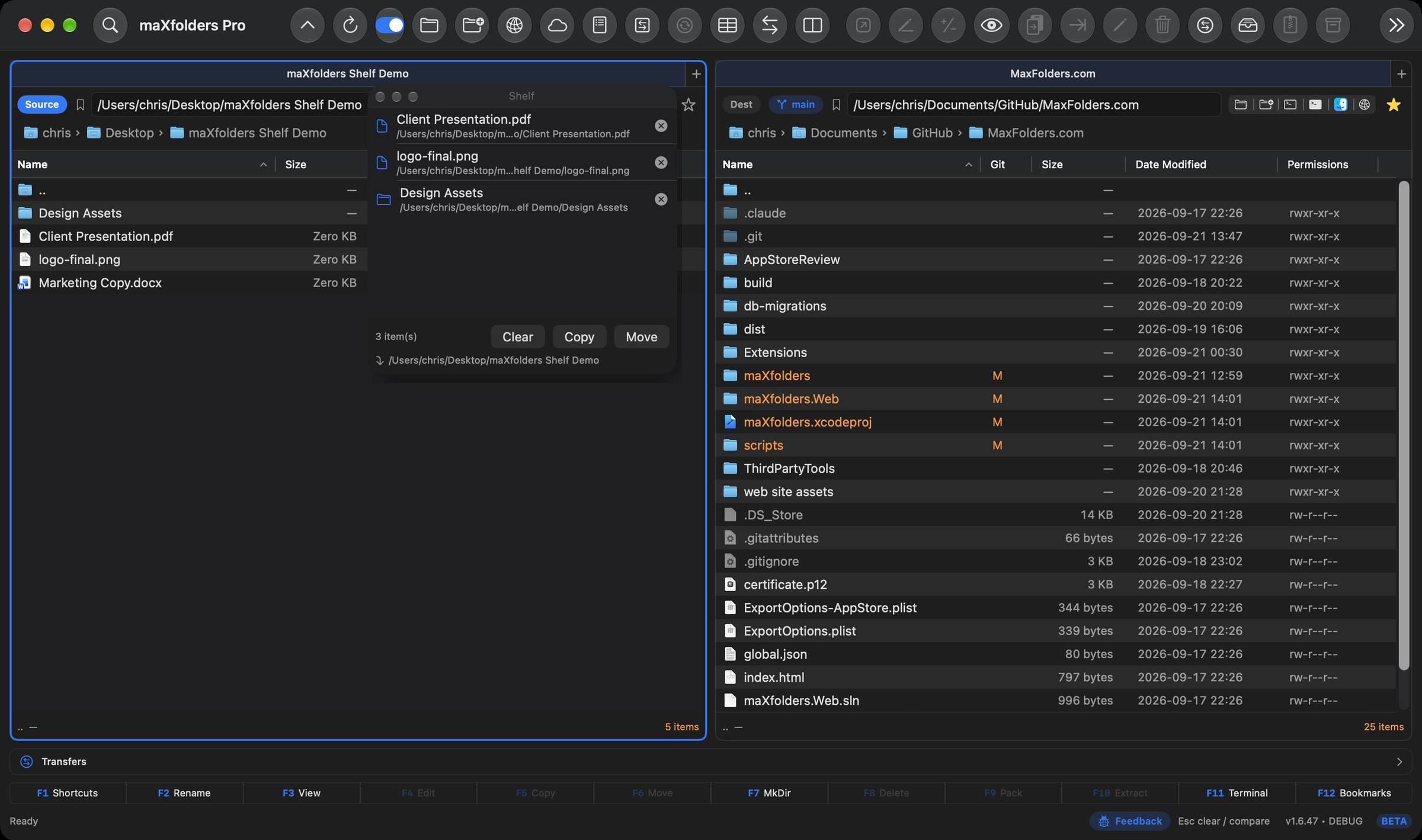
A floating panel that stays on top of everything, even when maXfolders isn't the frontmost app. Drag files onto it from either pane, from Finder, or from another app's Share menu — nothing moves yet, it just waits there. Toggle it with the toolbar button or ⌃J.
When you're ready, Copy or Move sends everything staged on the Shelf into the active pane's folder in one go — the panel always shows exactly where they're headed first. It reopens on its own at launch if it was still open when you quit.
Control-click → Add to Shelf now also works on a remote pane — plain FTP in both editions, and SFTP, WebDAV, S3, Dropbox, or iCloud Photos PRO. New in 1.6.49. A remote row can also be dragged straight onto the Shelf panel now, the same as a local one. New in 1.6.50. Right-click a selection in Finder itself for Add to Shelf too, staging it directly without opening the app first. New in 1.6.51.
 View larger
New in 1.6.57
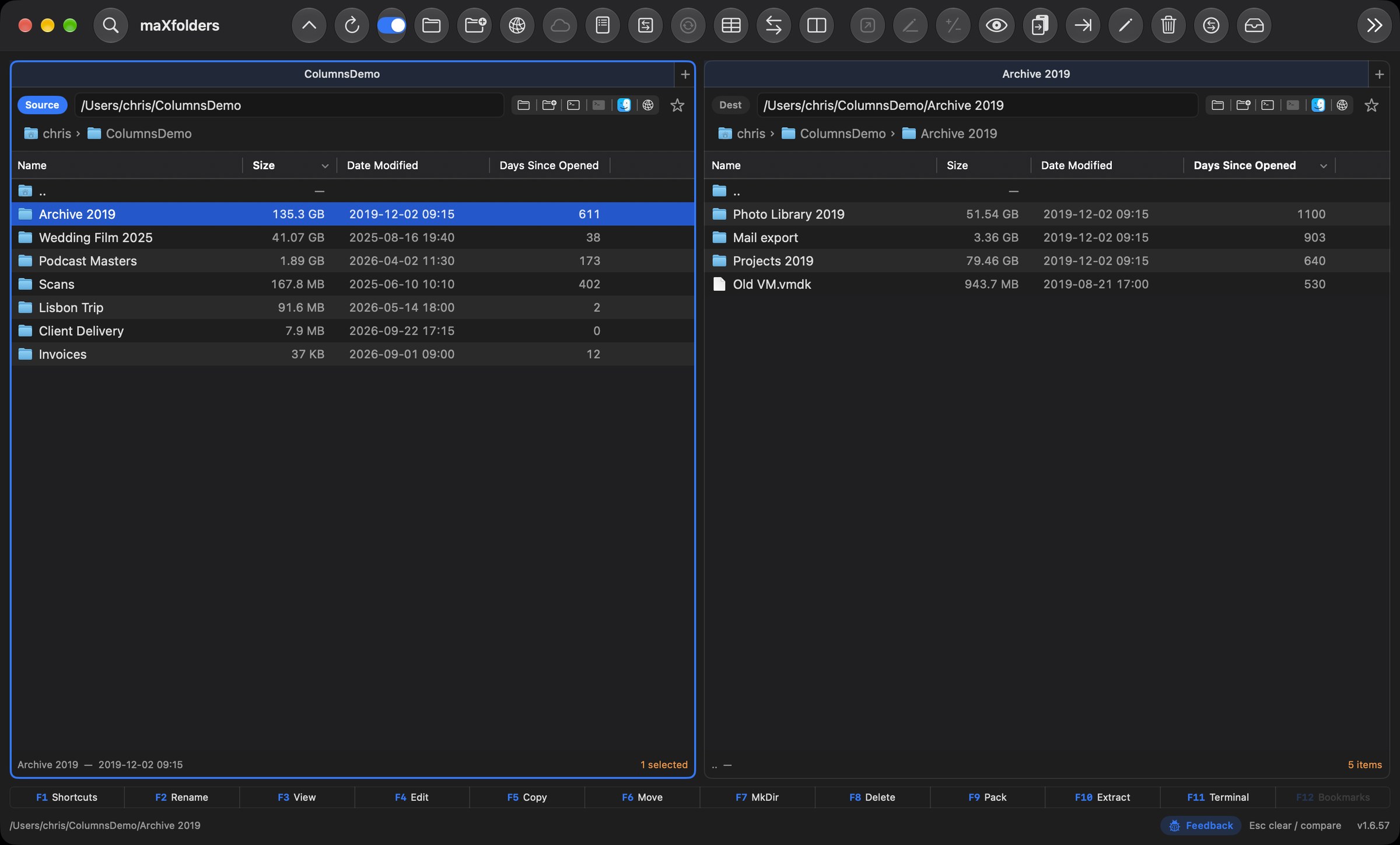
Every folder's real size, right in the Size column: added up in the background with a spinner, never a frozen list, and kept current as files change deep inside. Sort by it to see where the space went, then sort by Days Since Opened to find what you haven't touched in years.
Add Date Taken, Camera, Lens, Dimensions and Megapixels for photos; Duration, Codec, Bit Rate and Sample Rate for video and audio; Pages for PDFs; and a SHA-256 Checksum on demand. Every column sorts, on what's known while the rest fills in. Free in both editions.
 View larger
New in 1.6.56
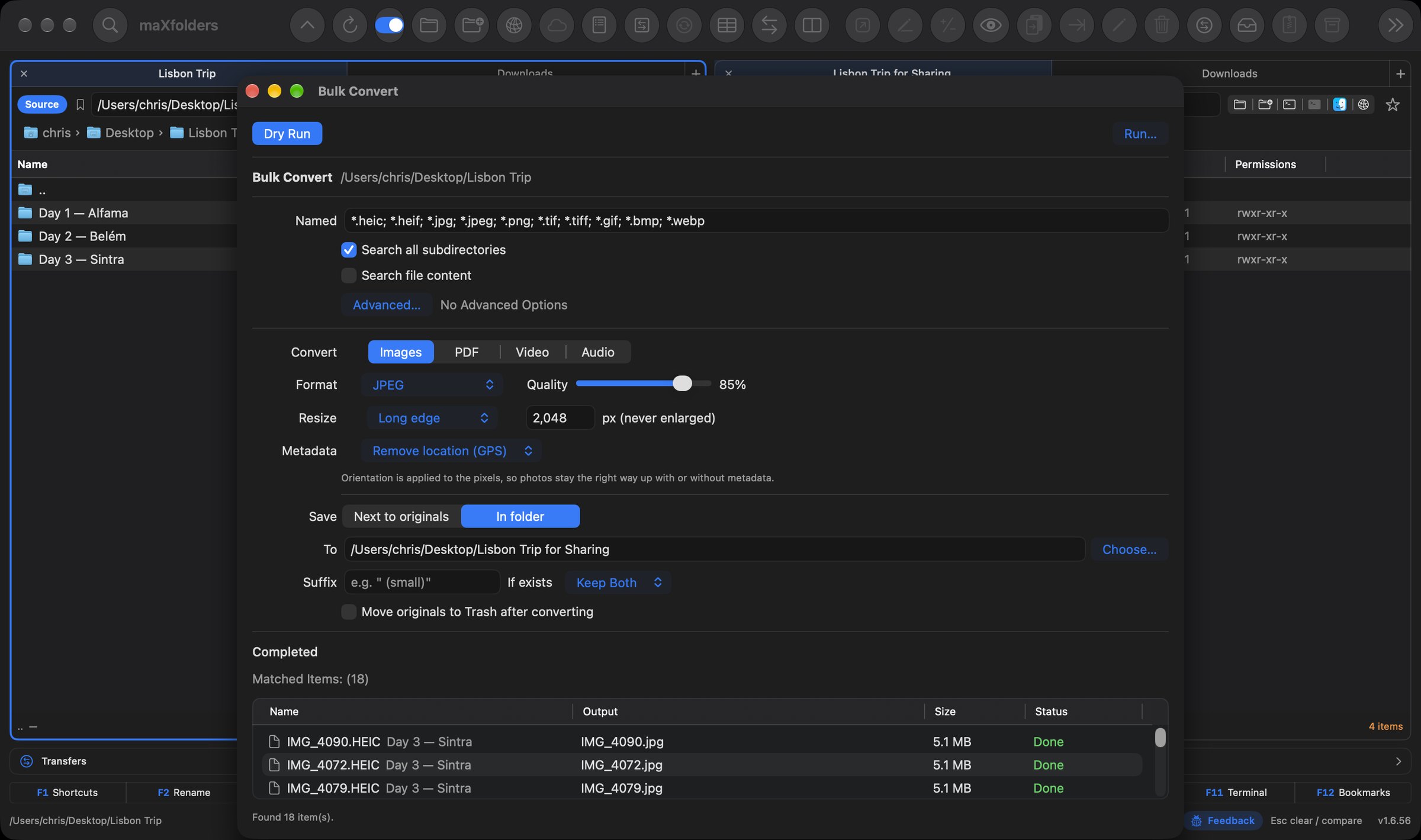
Turn a trip's worth of iPhone HEIC photos into JPEGs you can share anywhere, resized and with the location stripped out, in one pass. Or merge a folder of PDFs in the order your pane is sorted, split or rotate them, remux video to MP4 without re-encoding, and convert audio to AAC, Apple Lossless or WAV.
Like every bulk operation, it shows a dry run of every file and its output name first, and blocks anything that would overwrite an original. It runs in the resumable Transfers queue. Everything uses macOS's own frameworks. Free in both editions.
 View larger
New in 1.6.55
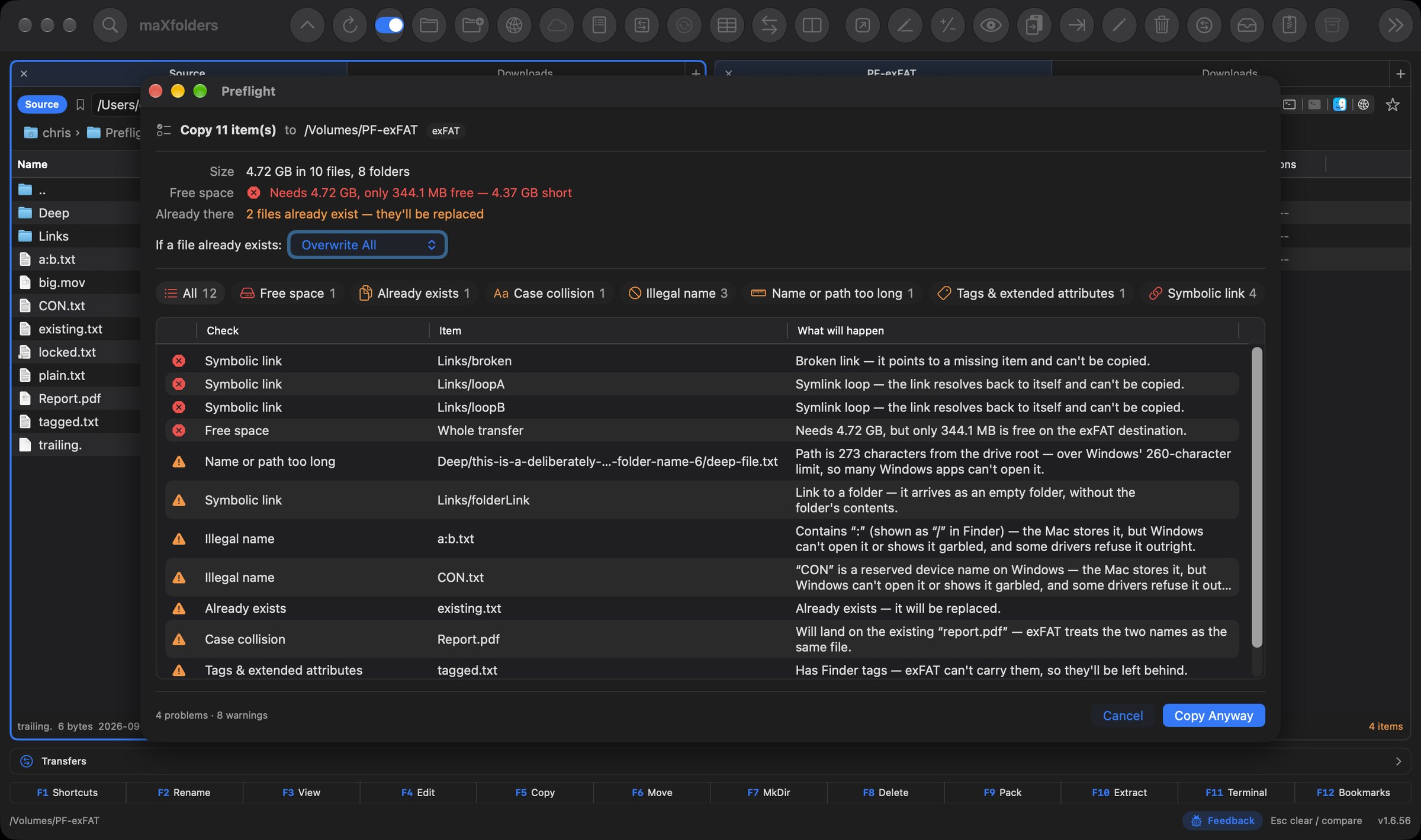
Before a copy or move starts, maXfolders walks everything you're about to send and checks it against the destination. You find out what won't make it before the first file moves, not halfway through or weeks later.
Will it fit, and how much space is left afterwards? What will it overwrite? Which names can't coexist on exFAT, NTFS or SMB, like Report.pdf and report.pdf? Which names, path lengths and 4 GB files won't survive a Windows or FAT32 disk, and which Finder tags will be left behind? It also catches locked and in-use files and symlink loops. For uploads to a server, it can store accented names in the composed form Linux and Windows expect.
A clean check goes straight on without a single extra click. The panel only appears when something needs your attention. Free in both editions.
 View larger
Beta launch — while you can
maXfolders is in beta and free to download right now. Register with a real email today, and that same email keeps 80% off every deal on maXfolders Pro — for as long as you use it.
What it does
Each pane has Finder-style lists, folder tabs, and a path bar. Flip Source and Destination, or swap the two folders, without losing your place.
Transfers queue in a persistent window — pause, resume, reorder, or cancel any of them. Folder compare paints identical, missing, and changed items. A side-by-side comparator opens text and binary files.
Search by name, content, size, and date. Browse zip and tar like folders. Preview code and documents in a separate window that follows the Source selection.
Compare
Compare two folders by name. Matching items go green, missing items red, and same-name files with a different date orange. Then Keep Source or Keep Destination — with an option to keep only the newer file.
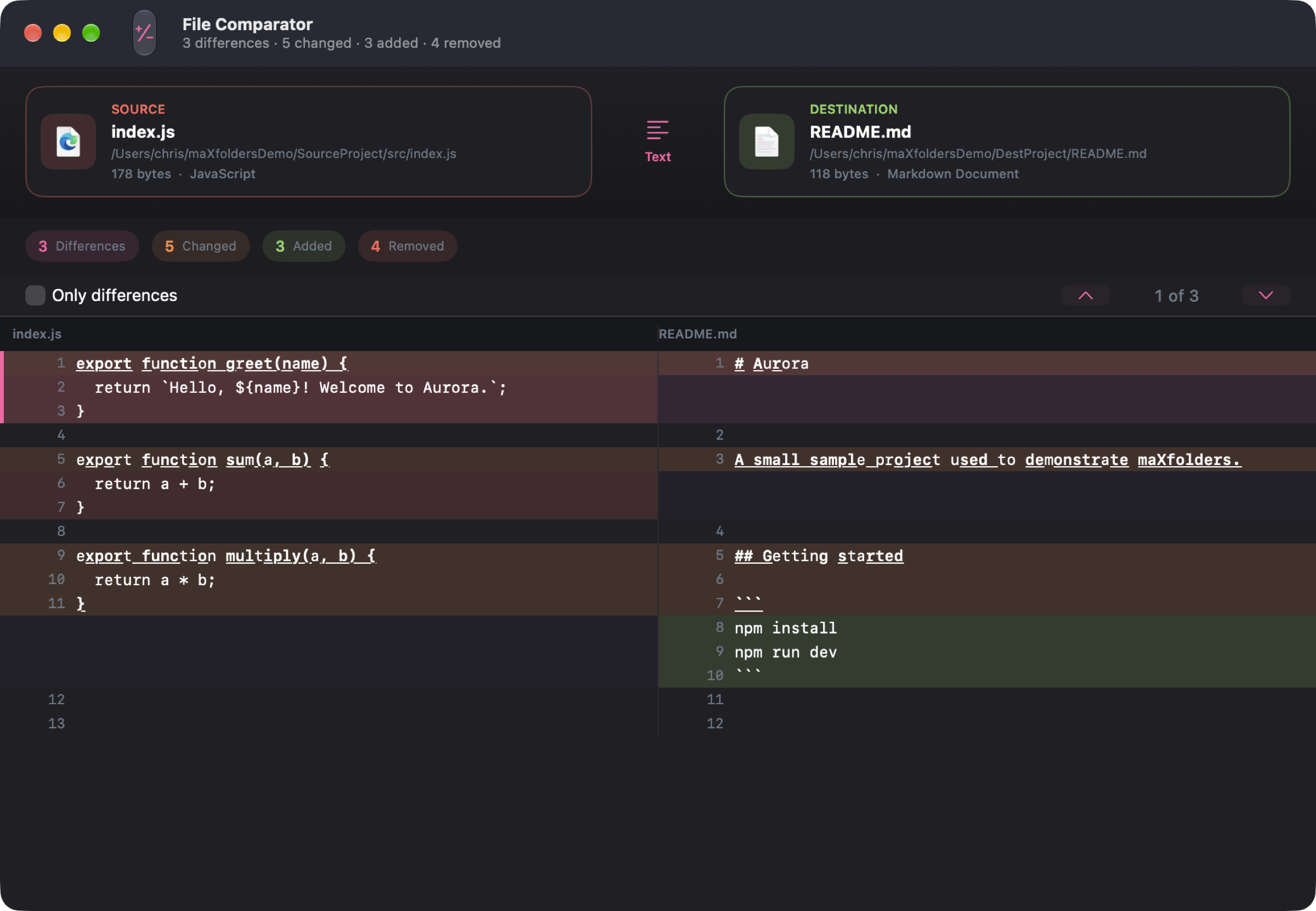
Need the contents of two files? File Comparator shows a side-by-side text or hex view, jumps between differences, and can hide matching lines.
 View larger
Connect
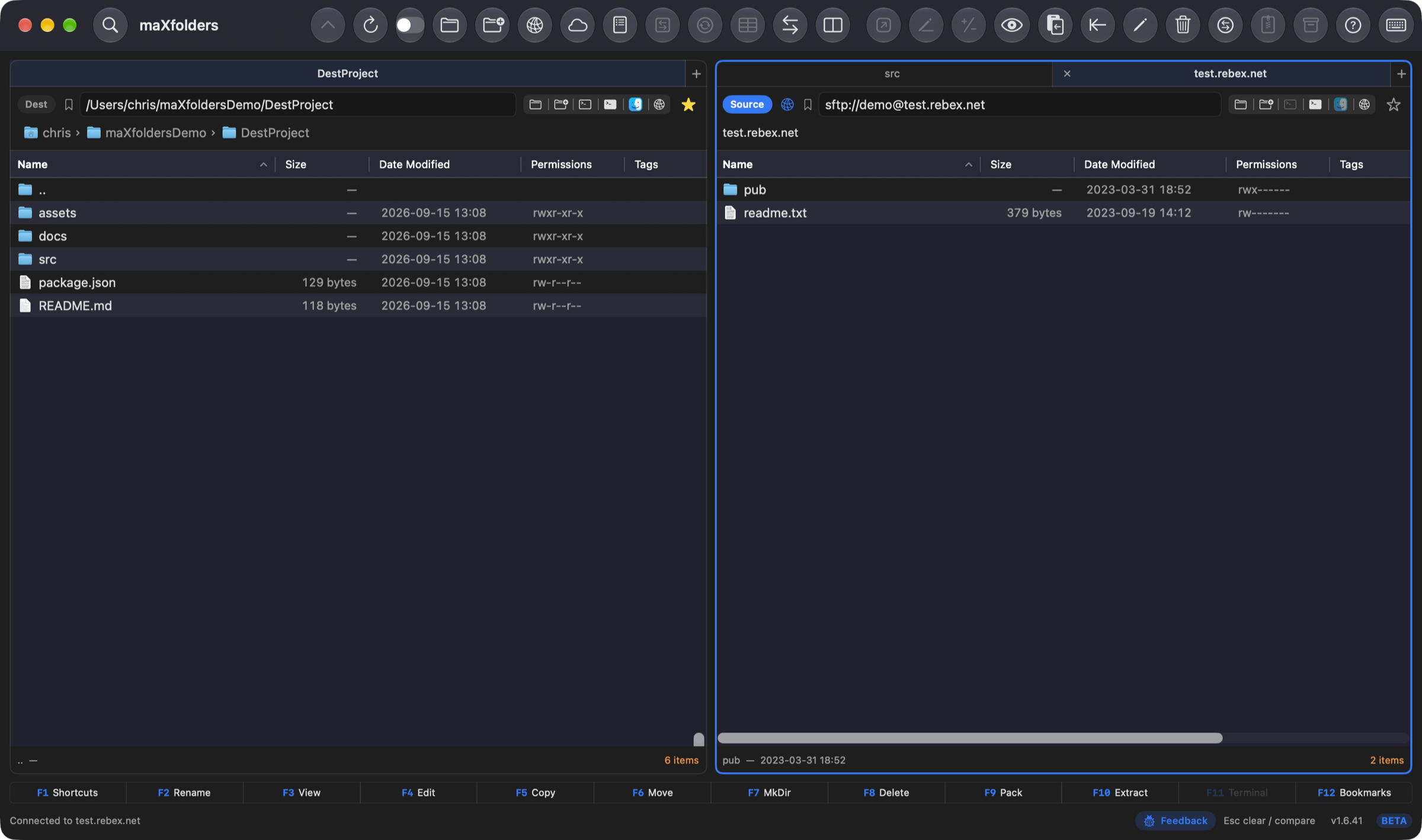
Connect to Server (⌘K) opens FTP, or SFTP PRO, in a pane you browse, drag, upload, and download exactly like a local folder. Passwords and key passphrases stay in the Keychain; SFTP host keys are pinned.
Enter a host, pick Password or Private Key, and the remote pane behaves like Source or Destination — copy, move, and compare work the same way across the connection.
 View larger
Terminal
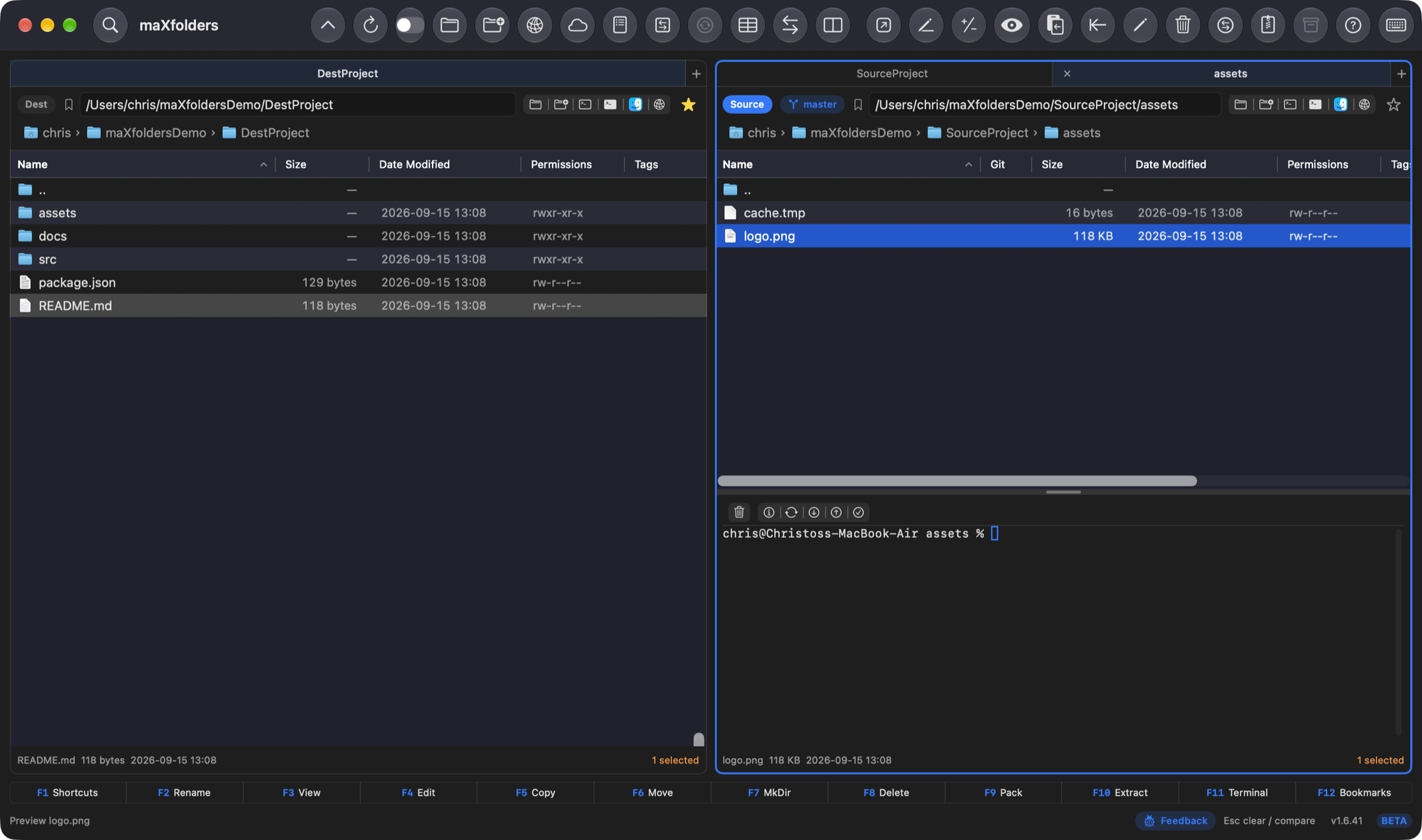
F11, ⌃⌘T, or the terminal icon opens a colored, resizable shell below either pane — no separate window, no switching to Terminal.app. As you navigate — Backspace, a double-click, the path bar, or a bookmark — the shell sends a cd to match, so its prompt always sits in the folder you're looking at.
Inside a git working tree, a small toolbar above the shell adds Git Status, Fetch, Pull, Push, and Commit All…, alongside Clear Terminal. Each pane remembers its own height and whether it's open.
 View larger
Looks at home on a Mac
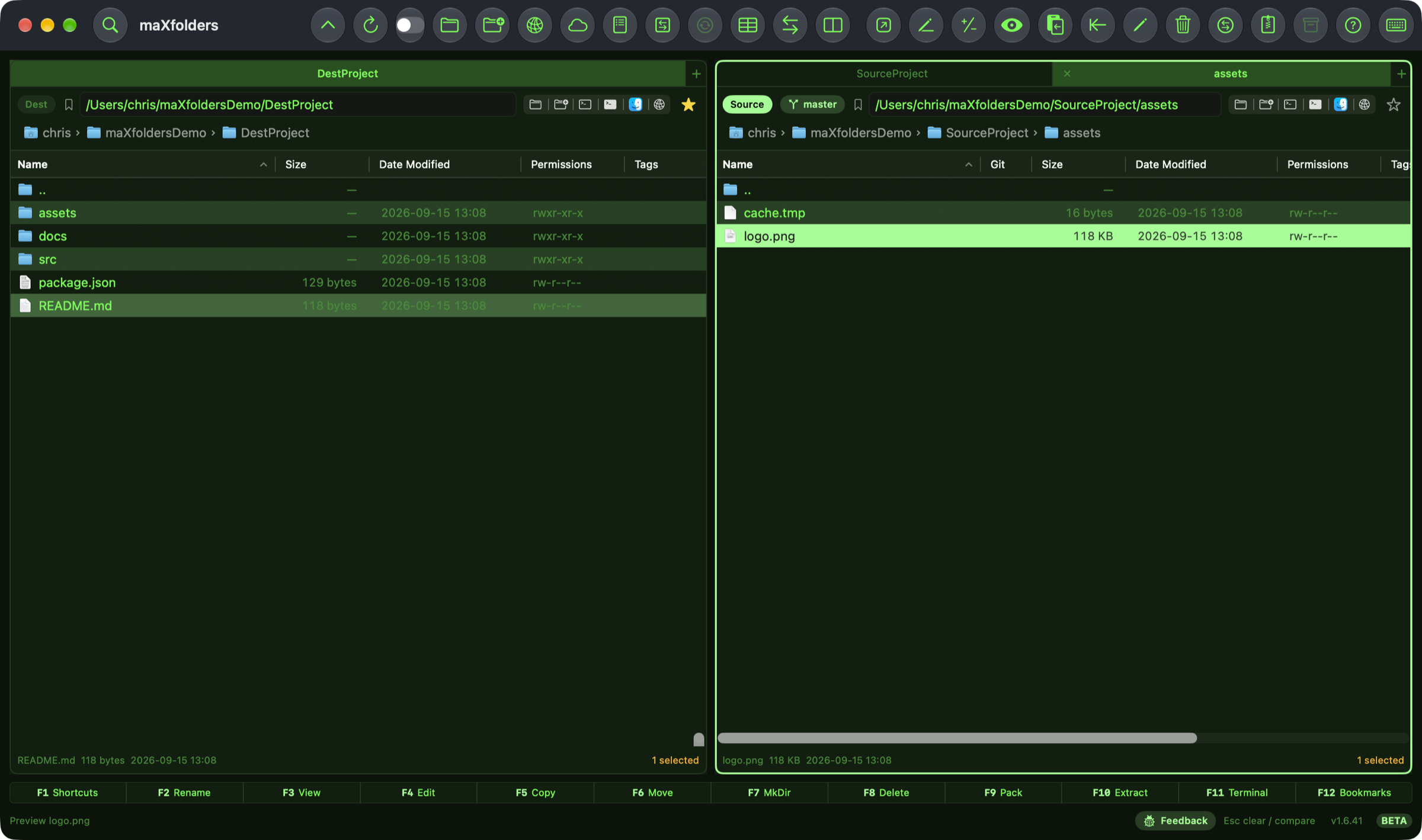
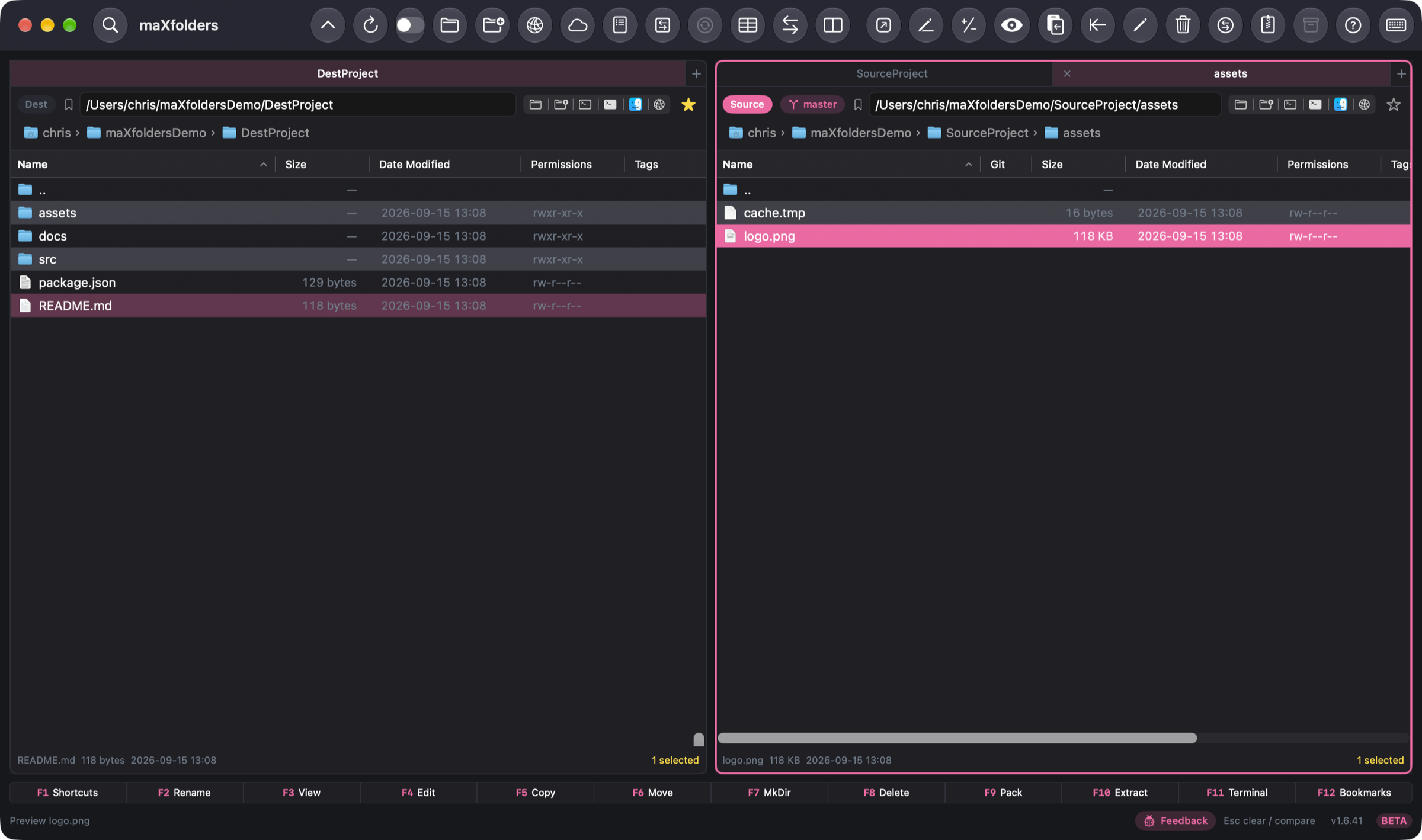
A unified, icon-only toolbar. Finder icons in the file list. Appearance can follow macOS, or you can lock Light or Dark and pick a theme — Native, Paper, Sand, Ice, Midnight, Forest, Ember, Commander, Xcode, or Retro.
Full feature set
Five groups cover every corner of maXfolders. Expand one below, or head straight to the Features page for screenshots and detail.
 Panes & navigation
8
Panes & navigation
8
 Transfer & compare
10
Transfer & compare
10
 Search, archives & lists
5
Search, archives & lists
5
 Remote & Git
5
Remote & Git
5
 Look, feel & extras
8
Look, feel & extras
8
New in 1.6.40
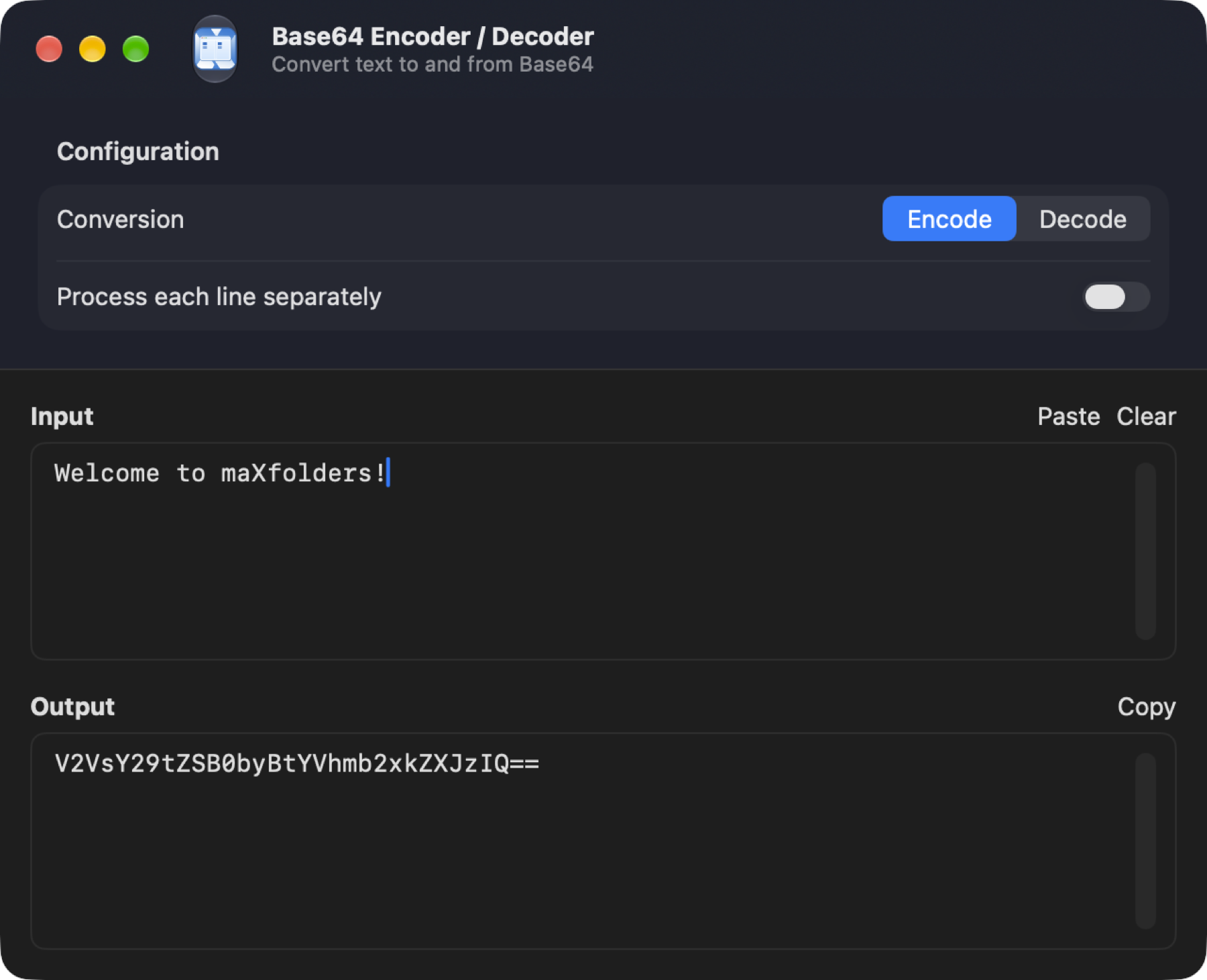
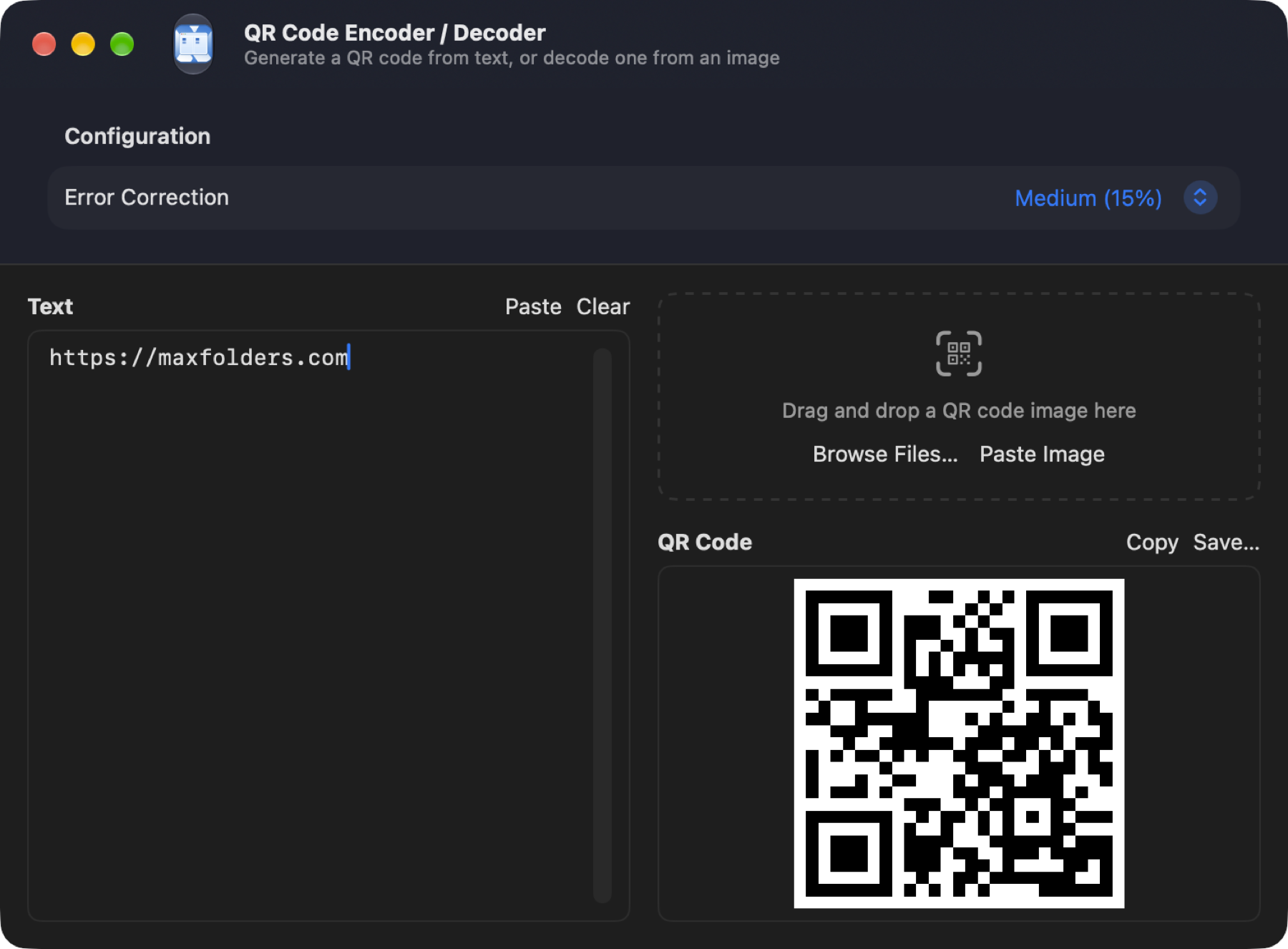
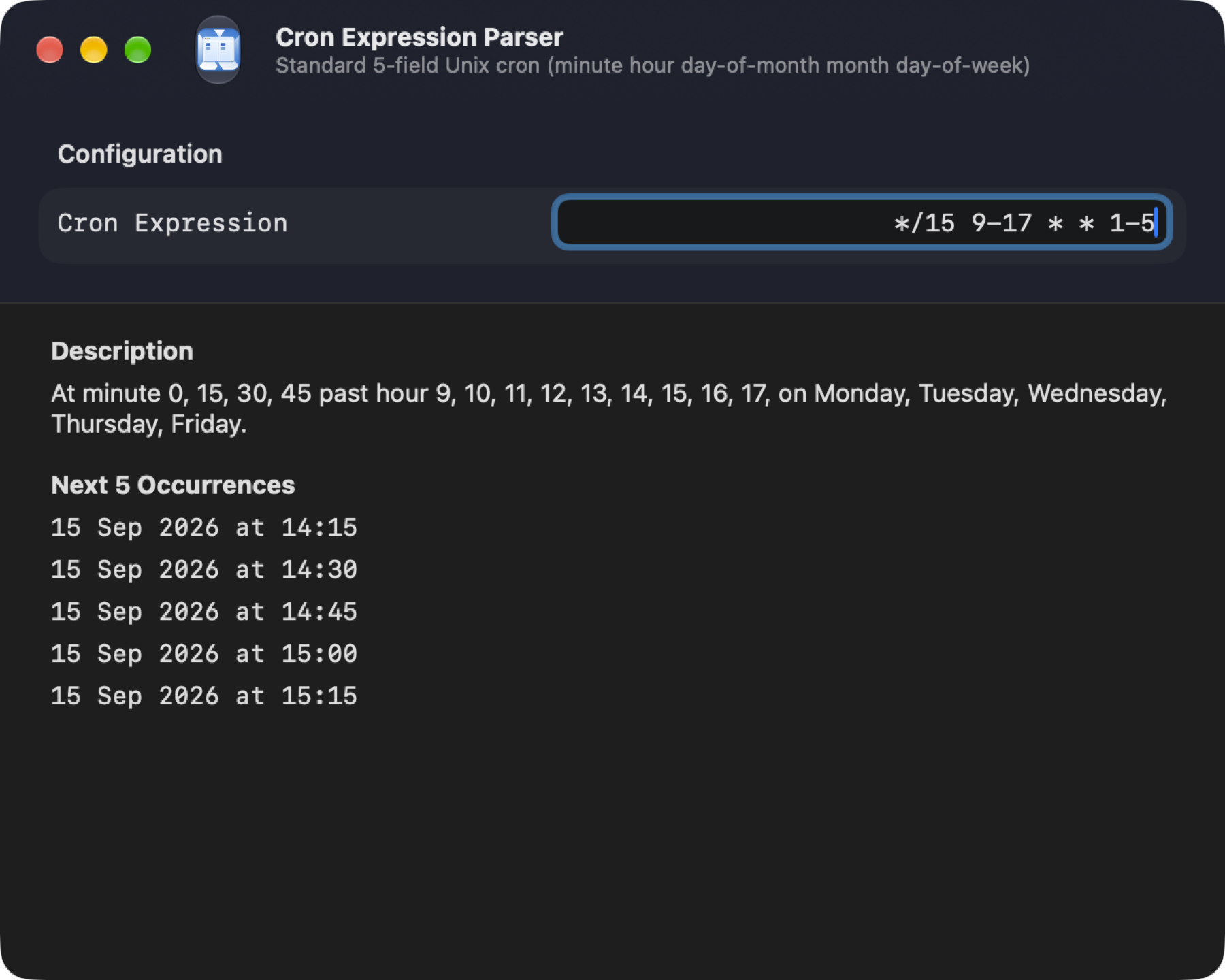
Nine small, self-contained utility windows between Go and Window — Base64, URL, and HTML encode/decode, image-to-text OCR, a JSON formatter, an XML formatter, string/HTML text escaping, a QR code generator and reader, and a cron expression parser. See the full writeup on the Features page.
 View larger
 View larger
 View larger
The App Store edition covers local file management — free, sandboxed, installs and updates straight from the Mac App Store. maXfolders Pro adds the embedded terminal, Finder integration, and SFTP/cloud connections, sold directly from this site rather than the Store. See the full comparison, or grab Pro now — still free during the beta.